 Tray Transpose Tool
NEW: VERSION 3
Transpose any chord sheet, right where it is
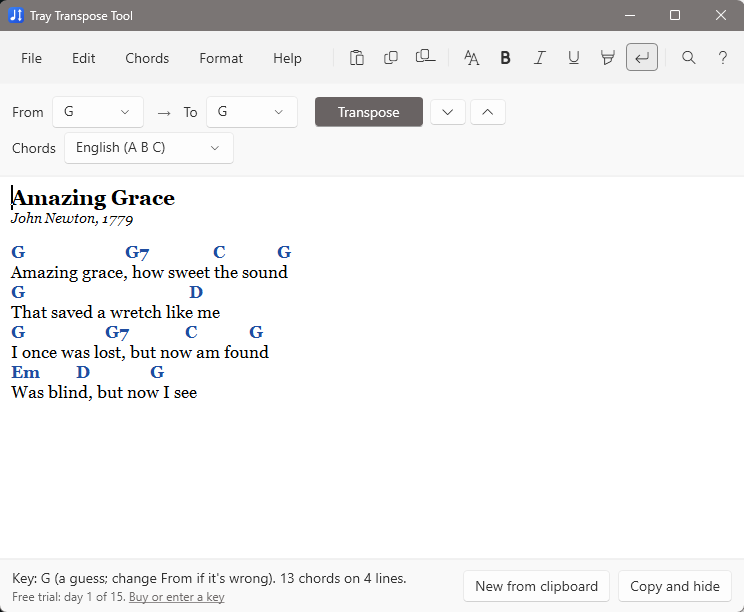
Copy a song from Word, a web page, an email or any other program. Click the Tray Transpose Tool, choose a new key, and paste it back. Your fonts and colors stay as they were, and every chord stays over its word, even in fonts like Times New Roman or Calibri.
Free 15-day trial. Full version $9.95, one-time. Windows 10 and 11, about 72 MB.
Works with your programs
Word, Google Docs, web pages, email, presentation and worship software: if you can copy from it and paste into it, you can transpose it.
Keeps chords in place
Version 3 measures the actual letters on screen, so chords stay over the right word in any font, not just in Courier.
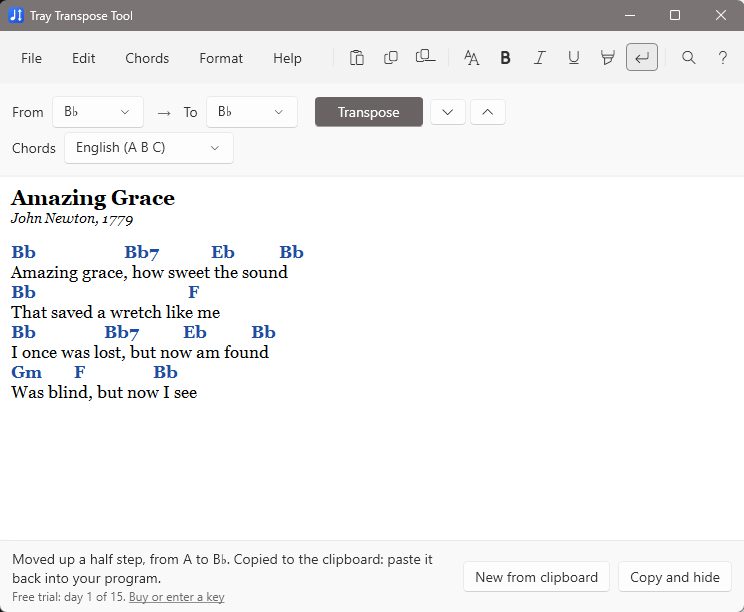
Spells like a musician
D/F♯ becomes E/G♯, not E/A♭. Flat keys get flats and sharp keys get sharps, chord by chord.
What it does
Always one click away
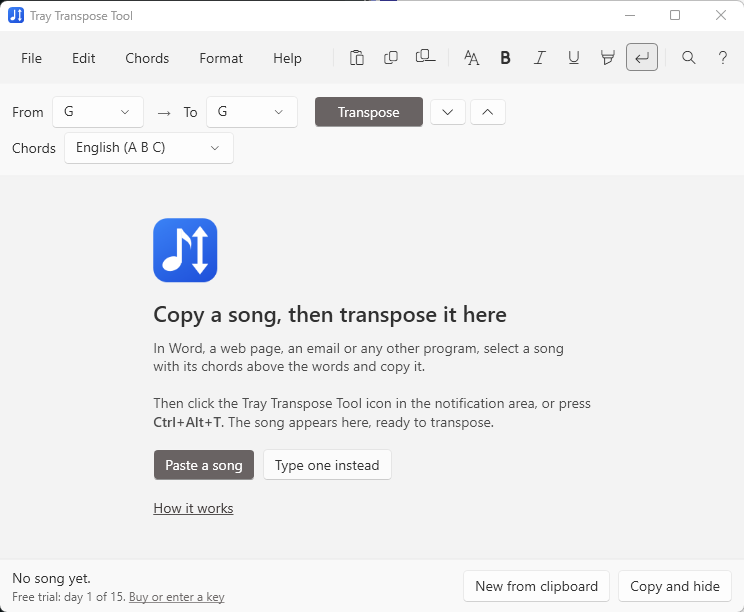
The Tray Transpose Tool waits in the notification area, next to the clock. Copy a song, then click its icon or press Ctrl+Alt+T from inside any program. The song appears with its key already guessed.
Choose the new key and Transpose, or nudge it up or down a half step. The result goes straight to the clipboard, ready to paste back.
Everything a chord sheet needs
- All the chords you actually write: m7, maj7, sus2, sus4, add9, 6/9, m7♭5, dim7, ø, alterations such as 7♯9, and bass notes such as G/B.
- Three chord styles: English (A B C), Latin (Do Re Mi) and Nashville numbers (1 4 5, or I IV V), with conversion between them.
- Real-world chord lines: “Intro:”, bar lines, “x2”, hyphenated runs such as Am-G-F, chords in (parentheses), and [G]inline chords.
- Catches typos first: a word like “Gsu4” on a line of chords is pointed out before you transpose, so no line is left behind in the old key.
- Hear any chord: click a chord to hear it played on guitar.
- Tidy plain text: songs copied as plain text get a clean monospaced font, with chords and headings highlighted.
- Undo everything: every transposition and edit can be undone, step by step.
Try it free for 15 days, then $9.95 to keep
Free trial
15 days
- Everything works, with no limits, for 15 calendar days
- After that, transposed songs have some chords deliberately changed, and copying them out is turned off
Full version
$9.95 one-time
- Every chord transposed correctly, for as long as you like
- Copy transposed songs back to any program
- Use it on two computers, such as home and church
Own Tray Transpose Tool version 2? Upgrade for $4.99: enter the 10-letter code that came with version 2 on the purchase page. Payments are handled securely by PayPal, and your license key arrives immediately by email. See Trial and full version for details.
What's new in version 3
- Rebuilt from the ground up for Windows 10 and 11, with a modern look and sharp text on high-resolution screens
- Chords stay over their words in proportional fonts, mixed fonts and mixed sizes
- Formatting on chords is kept: a superscript 7 stays superscript
- Musically correct sharps and flats; up and down a half step with one click
- Many more chord types, inline [G] chords, and Nashville numbers as well as Roman numerals
- A shortcut key that works from any program, and an option to start with Windows
- Installs itself in seconds, with no administrator rights needed if you choose “Just for me”
- A complete online user manual
Requirements and help
Windows 10 or Windows 11 (64-bit). Nothing else to install. An internet connection is needed only once, to activate the full version.
The user manual explains everything, and its troubleshooting page answers common questions. You can also email [email protected].
Looking for Tray Transpose Tool version 2 (2001)? Its information is on the Tray Transpose Tool 2 page. In a web browser instead? Try the free Web Transpose Tool.